Sub-Processes and Call Activities
Sub-processes and call activities are both useful for simplifying and organizing complex workflows within larger processes. They serve distinct purposes and are used in different scenarios.
Reasons to use Sub-Processes or Call Activities:
Consolidate tasks that either have common features or collaboratively form a distinct functionality. For example, a Notification Gateway, which includes script tasks and a service task, works together to construct and send a notification, such as an email.
Group tasks where a Boundary Event can be efficiently applied to the entire group. For instance, instead of individually assigning a condition or timer to each task, all tasks can be included within a sub-process or call activity, where the condition or timer inherently applies to all the contained tasks.
Sub-Processes
When to use a Sub-Process:
Consolidate similar functionalities: When you have a group of tasks that are closely related and work well together but don’t need to be used or replicated elsewhere in other processes.
Call Activity is not required: When these tasks don’t meet the conditions needed for a call activity, a sub-process can achieve the same goal.
Conditions or events need to be applied: When specific conditions or events, such as a timer event, need to be applied to a set of tasks, but these tasks do not collectively form a reusable workflow that can be called as a separate process.
Example Use Case: Restaurant Ordering System
A restaurant management workflow where customers place an order online, and the system processes their selections step by step. To streamline the workflow, the food selection process is encapsulated in a Sub-process.
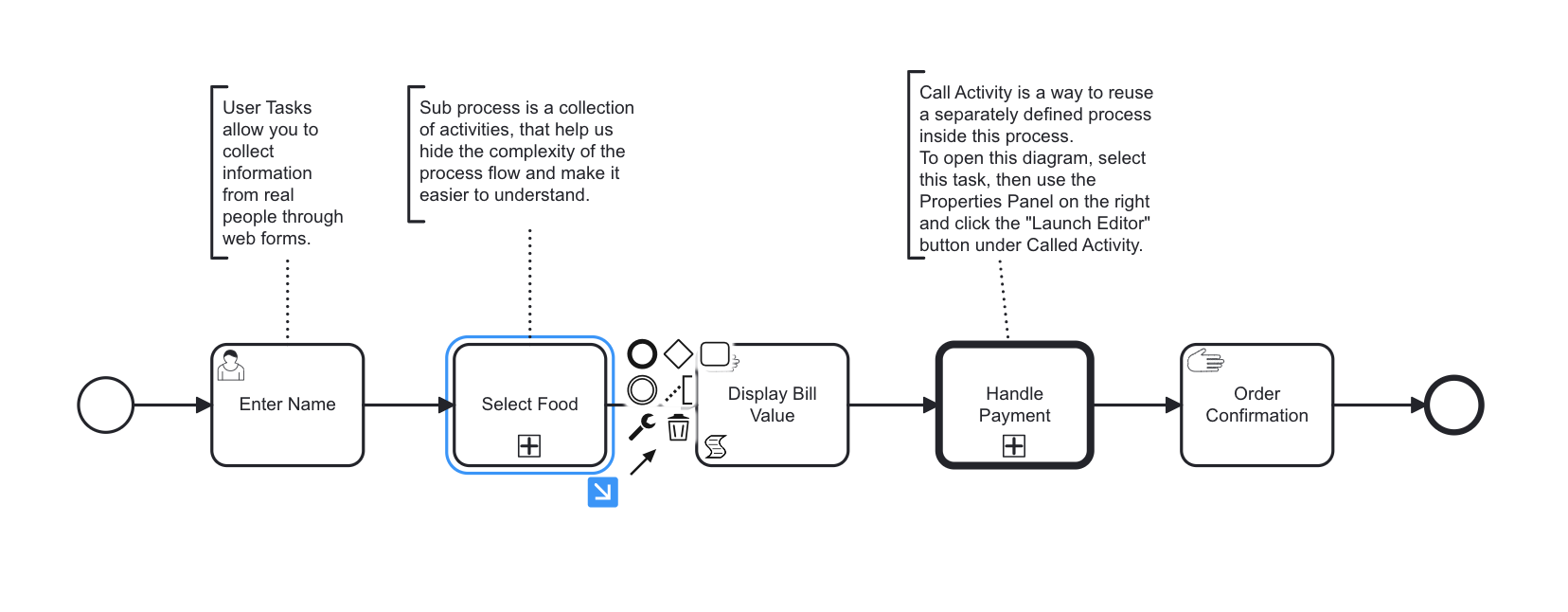
Step 1: Enter Name
A User Task that collects the customer’s name using a web form.
Step 2: Select Food
A Sub-process that encapsulates the food selection process.
Step 3: Display Bill Value
A Script Task that calculates the total bill based on the selected items.
Step 4: Handle Payment
A Call Activity that integrates an external payment handling process.
Step 5: Order Confirmation - A User Task that displays the confirmation message to the user.
Sub-process: Select Food
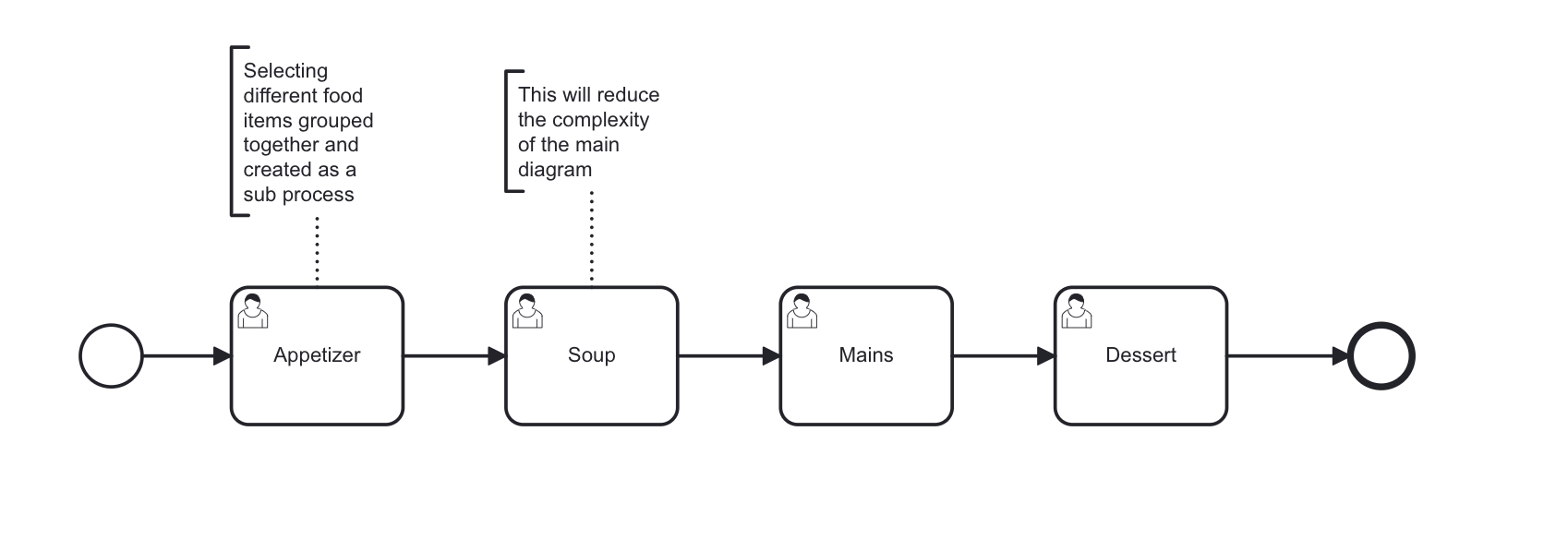
Goal: Simplify the food selection process into smaller, more manageable steps.
Internal Workflow:
Start Event: Initiates the sub-process.
Appetizer Task: User selects an appetizer via a form.
Soup Task: User selects a soup option.
Main Course Task: User chooses a main course.
Dessert Task: User selects a dessert.
End Event: Marks the completion of the sub-process.
Input Variables:
No specific inputs required in this example as tasks dynamically retrieve options from context or form
Output Variables:
selected_items: A dictionary containing the user’s food selections (e.g.,{"Appetizer": "Spring Rolls", "Soup": "Tomato Soup", ...}).
Call Process
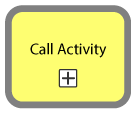
A Call Process is similar to a Sub-Process in that it encapsulates part of a workflow, but it is designed to be reused across multiple different processes. It’s essentially a stand-alone process that can be “called” into action as required by other processes. Using a Call Process can help to eliminate redundancy and ensure consistent execution of the process steps.
When to use a Call Process:
Reusability: When a set of activities is reused in multiple main processes, defining it as a call process allows for easy reuse by calling the process.
Reducing Complexity: Breaking down a complex main process into smaller, manageable call processes can make it easier to understand and maintain.
Version Control: If a process may undergo changes over time but is used in multiple places, defining it as a call process allows changes to be made in one place and propagated to all instances where the process is used.
Delegation: When different individuals or teams are responsible for executing tasks within a process, a call activity can be assigned to the most appropriate person or team.
Access Control: If a specific segment of a process should not be available to every user, converting it into a call process helps establish access control. More information about this can be found in the Admin and Permission section.
Example Use Case: Payment Handling
A restaurant management workflow handles customer orders, calculates the bill, and processes payments. To maintain modularity and reusability, the payment processing logic is encapsulated in a separate workflow and invoked using a Call Activity.
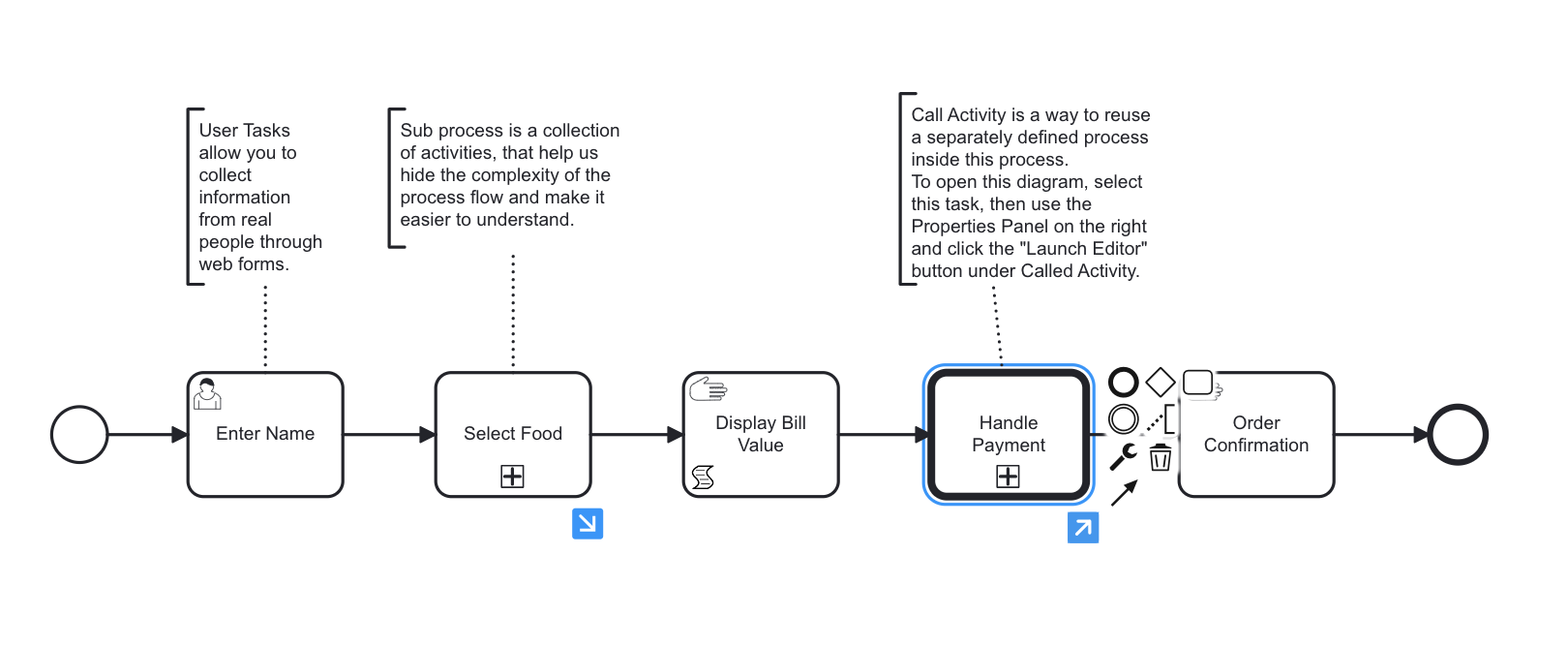
Step 1: Enter Name - A User Task that collects the customer’s name.
Step 2: Select Food - A Sub-process to handle food selection.
Step 3: Display Bill Value - A Script Task to calculate the total bill.
Step 4: Handle Payment - A Call Process that navigates to a payment-handling process.
Step 5: Order Confirmation - A User Task that displays order confirmation.
Call Activity: Handle Payment
A restaurant management workflow handles customer orders, calculates the bill, and processes payments. To maintain modularity and reusability, the payment processing logic is encapsulated in a separate workflow and invoked using a Call Activity.
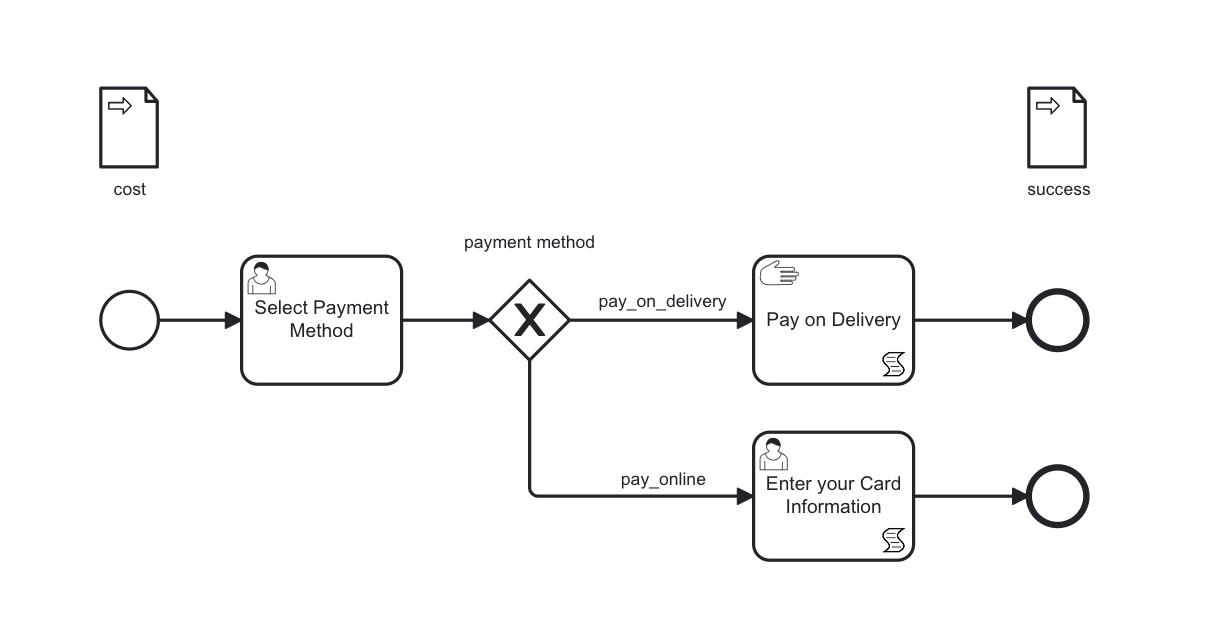
Goal: Abstract the logic of handling different payment methods into a reusable process.
Internal Workflow of Called Process:
Start Event: Initiates the payment process.
Select Payment Method:
A User Task where the customer selects a payment method (e.g., “Pay on Delivery” or “Pay Online”).
Decision Gateway:
Routes the workflow based on the selected payment method:
Pay on Delivery:
A Manual Task to confirm payment upon delivery.
Pay Online:
A User Task where the customer enters their card information.
End Event:
Completes the payment process and returns to the main workflow.
In the example of “Handle Payment,” the main workflow remains focused on order management while delegating payment logic to a reusable process, improving both clarity and efficiency.
Therefore, the Call Process is a critical tool for creating modular, reusable, and scalable workflows in SpiffWorkflow.