Assigning Tasks to People
This guide explains how to assign tasks to specific users, roles, or groups in your BPMN workflows.
Overview
In SpiffWorkflow, task assignment is primarily managed through Lanes within your BPMN diagrams. Lanes allow you to:
Assign tasks to specific roles or departments
Route work to the appropriate personnel
Control who can execute particular tasks in a workflow
Using Lanes for Task Assignment
Lanes are subdivisions within a Pool that assign activities to specific roles, systems, or departments. When a human task is placed within a Lane, only users associated with that Lane can complete the task.
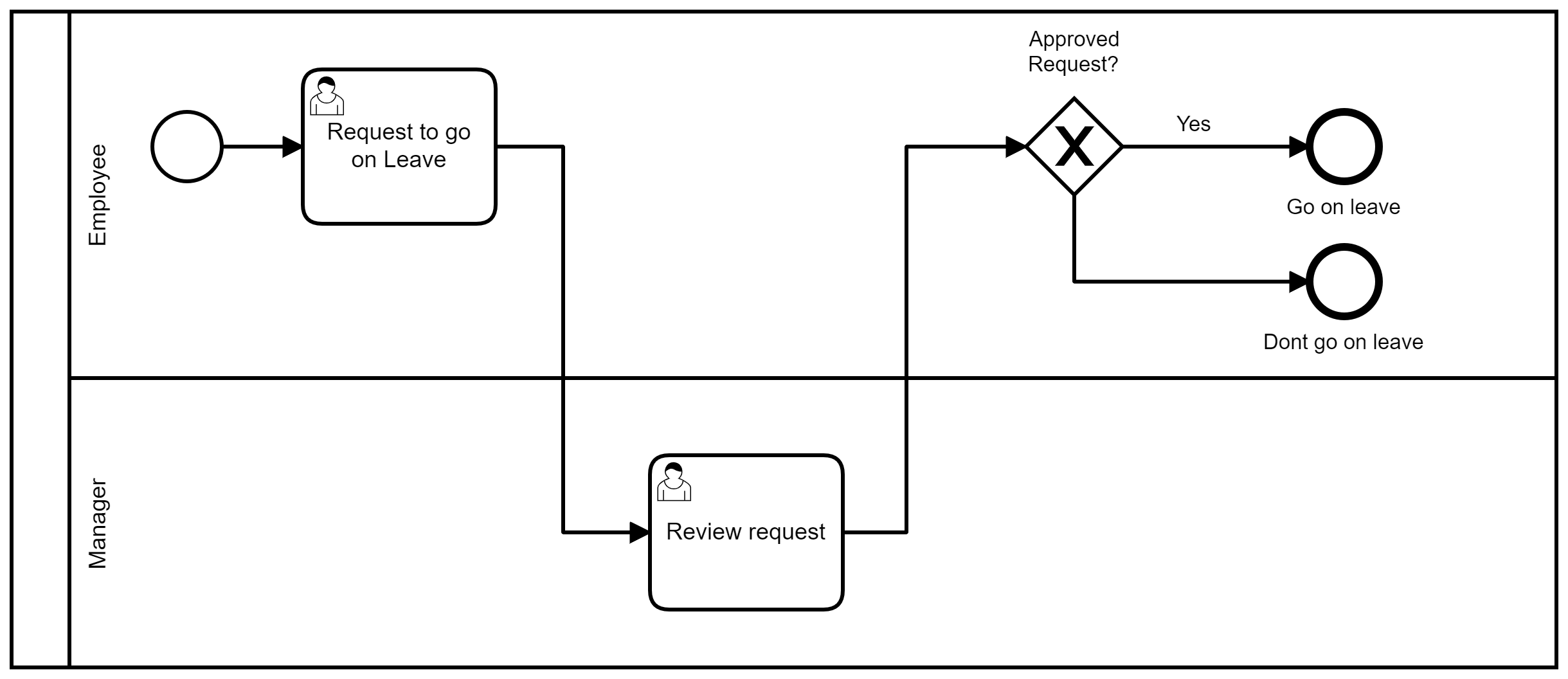
Basic Lane Setup
Create a Pool in your BPMN diagram
Add Lanes to represent different roles (e.g., “Requester”, “Manager”, “Approver”)
Place human tasks within the appropriate Lane
Configure the Lane with a name and unique ID
Field |
Description |
|---|---|
Name |
A descriptive label representing the role (e.g., “Manager”) |
ID |
A unique identifier for the Lane (e.g., “lane_manager”) |
Note
Each Pool requires Lane configuration, even if it contains just a single Lane.
Methods to Assign Lane Owners
There are three primary methods to specify who owns a Lane (i.e., who can complete tasks in that Lane):
Method 1: Using User Groups
Lane owners can be specified using predefined user groups configured in the system.
User groups are typically defined in a YAML configuration file:
groups:
  admin:
    users:
      - user1@spiffworkflow.org
      - user2@spiffworkflow.org
  reviewers:
    users:
      - user3@spiffworkflow.org
      - user4@spiffworkflow.org
When a Lane name matches a group name in the configuration, users in that group can complete tasks in the Lane.
For more information on configuring user groups, see the permissions documentation. You can also configure the system to respect group membership defined through your OpenID provider. See Configuring an OpenID Provider.
Method 2: Using Script Tasks
Script tasks enable dynamic assignment of lane owners within the workflow. You can specify the lane owners directly in the workflow logic, and you might choose this path if the task assignment logic is more nuanced than simply assigning the members of a specific group.
# Script task to assign lane owners
lane_owners = {
    "Reviewer": ["user1@example.com", "user2@example.com"]
}
The dictionary maps Lane names to lists of users who can complete tasks in that Lane.
Note
Specifying a user group in the lane_owners dictionary in a script task does not require it to previously exist in the database.
Method 3: Group Assignment with group: Prefix
For more flexible task assignment, you can assign entire groups to lanes using the group: prefix in your script tasks. This approach allows you to:
Assign tasks to multiple groups simultaneously
Mix group assignments with individual user assignments
Handle users who haven’t signed in yet (they’ll be assigned automatically when they sign in)
Override the default lane name group assignment
# Script task with group assignment
lane_owners = {
    "Reviewer": [
        "group:senior-reviewers",    # Assign to entire group
        "group:technical-leads",     # Multiple groups allowed
        "john@company.com",          # Mix with individual users
        "newbie@company.com"         # User will be assigned when they sign in
    ]
}
Key Features
Group Assignment: Use group:group_name to assign an entire group to a lane. All current members of the group will be able to complete tasks in that lane.
Dynamic Membership: When users are added to or removed from groups, their task assignments are automatically updated for active tasks.
Mixed Assignment: You can combine group assignments with individual user assignments in the same lane.
Pending Users: If you specify a username or email that doesn’t exist in the system yet, it will be stored and the user will be automatically assigned to relevant active tasks when they sign in.
Group Override: When you specify groups in lane_owners, the system uses only those groups (it doesn’t automatically include the lane name group).
# Example: Complex approval workflow
approval_lane_owners = {
    "Manager": ["group:managers", "ceo@company.com"],
    "Technical": ["group:senior-engineers", "group:architects"],
    "Finance": ["group:finance-team", "temp-consultant@company.com"]
}

lane_owners = approval_lane_owners
Important
When using group assignments, users who are added to the assigned groups after task creation can still complete the tasks. This enables dynamic team management without workflow disruption.
Dynamic Task Assignment
Excluding the Process Initiator from Approvers
A common requirement is ensuring that the person who started a process cannot approve their own request. Here’s how to implement this:
# Define the group identifier dynamically based on process data
group_identifier = "approvers"
group_members = get_group_members(group_identifier)

# Retrieve the process initiator's username
initiator = get_process_initiator_user()
initiator_username = initiator["username"]

# Exclude the initiator from the approvers' list if they are part of it
if initiator_username in group_members:
    group_members.remove(initiator_username)

# Assign the modified group list to the lane for task assignment
lane_owners = {"Approval": group_members}
Getting Group Members Dynamically
You can use the get_group_members() function to fetch users belonging to a specific group:
group_members = get_group_members("approvers")
This is useful for:
Sending notifications to specific groups
Dynamic task assignment based on workflow conditions
Building approval workflows with multiple potential approvers
Determining the Current Task’s Lane
In pre/post scripts, you can determine which Lane the current task belongs to:
# Get the lane name as a string
lane_name = task.task_spec.lane

# Use the lane name to get group members for notifications
group_members = get_group_members(lane_name)
Example: Petty Cash Request Process
This example demonstrates task assignment across different Lanes for a petty cash request workflow.
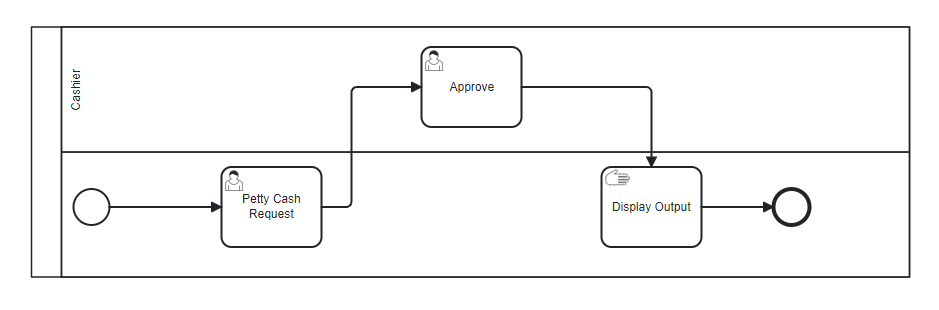
Process Flow
Start Event: The workflow begins in the Requester Lane.
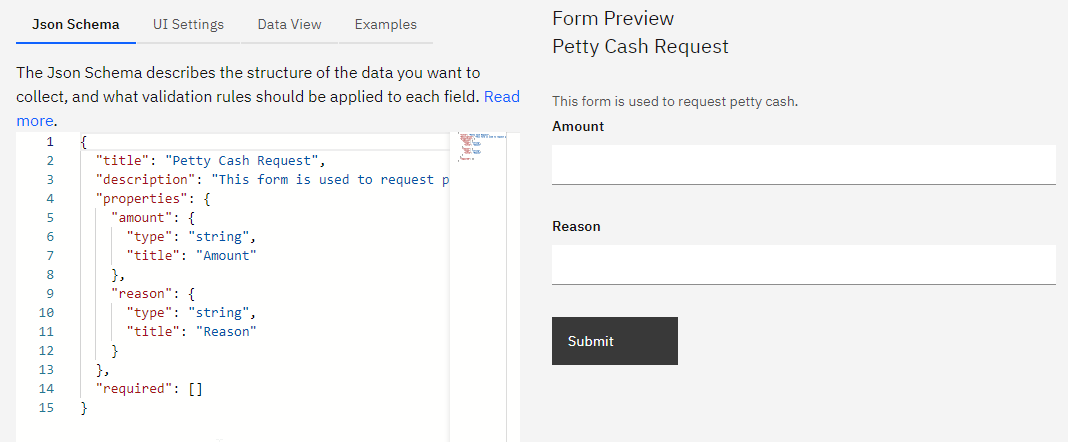
User Task: Petty Cash Request (Requester Lane): Collects the request details including amount and reason.
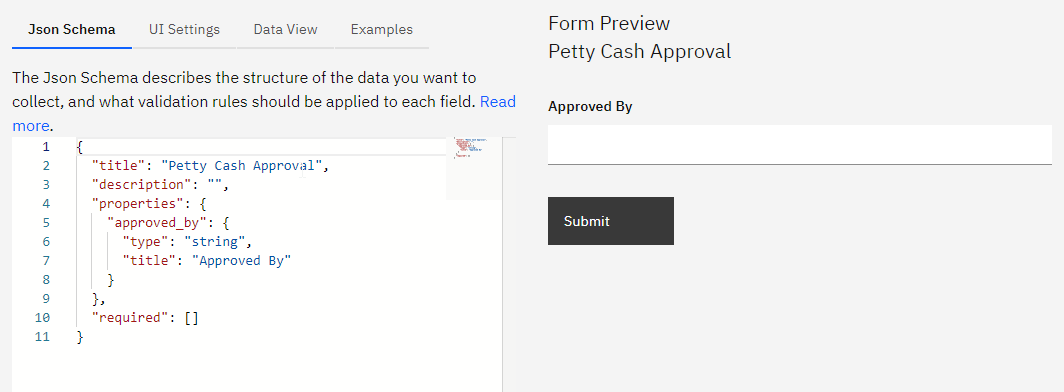
User Task: Approve Petty Cash (Cashier Lane): The cashier reviews and approves the request.
Manual Task: Display Output (Requester Lane): Shows the approval result to the requester.
Your petty cash request for {{amount}} has been approved by {{approved_by}}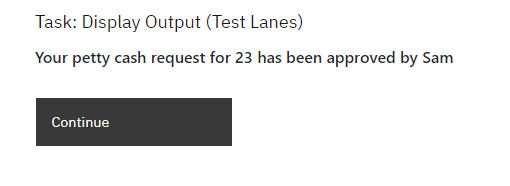
Integrating with External Role Management
If you manage user roles in an external system (like an OpenID provider), you can:
Configure your OpenID system to include group/role information in user tokens
Configure the system to automatically use this information to add users to groups
Use this information in your BPMN diagrams, allowing you to map external roles to Lane assignments