Use Executable and Non-Executable Tasks
In SpiffWorkflow, a process model can be either Executable or Non-Executable, and the designation impacts how the workflow behaves:
Executable Process: Configured for automation and execution by the workflow engine. All tasks within the process are actionable and designed to run dynamically.
Non-Executable Process: Intended for documentation or design purposes. These workflows are visual representations and cannot be executed by the workflow engine.
Configuring Executable and Non-Executable Processes
Non_Executable Process:
Open the BPMN editor in SpiffWorkflow. Select the process canvas or diagram header. Navigate to the Properties Panel on the right side.
Under the General section, uncheck the Executable checkbox.
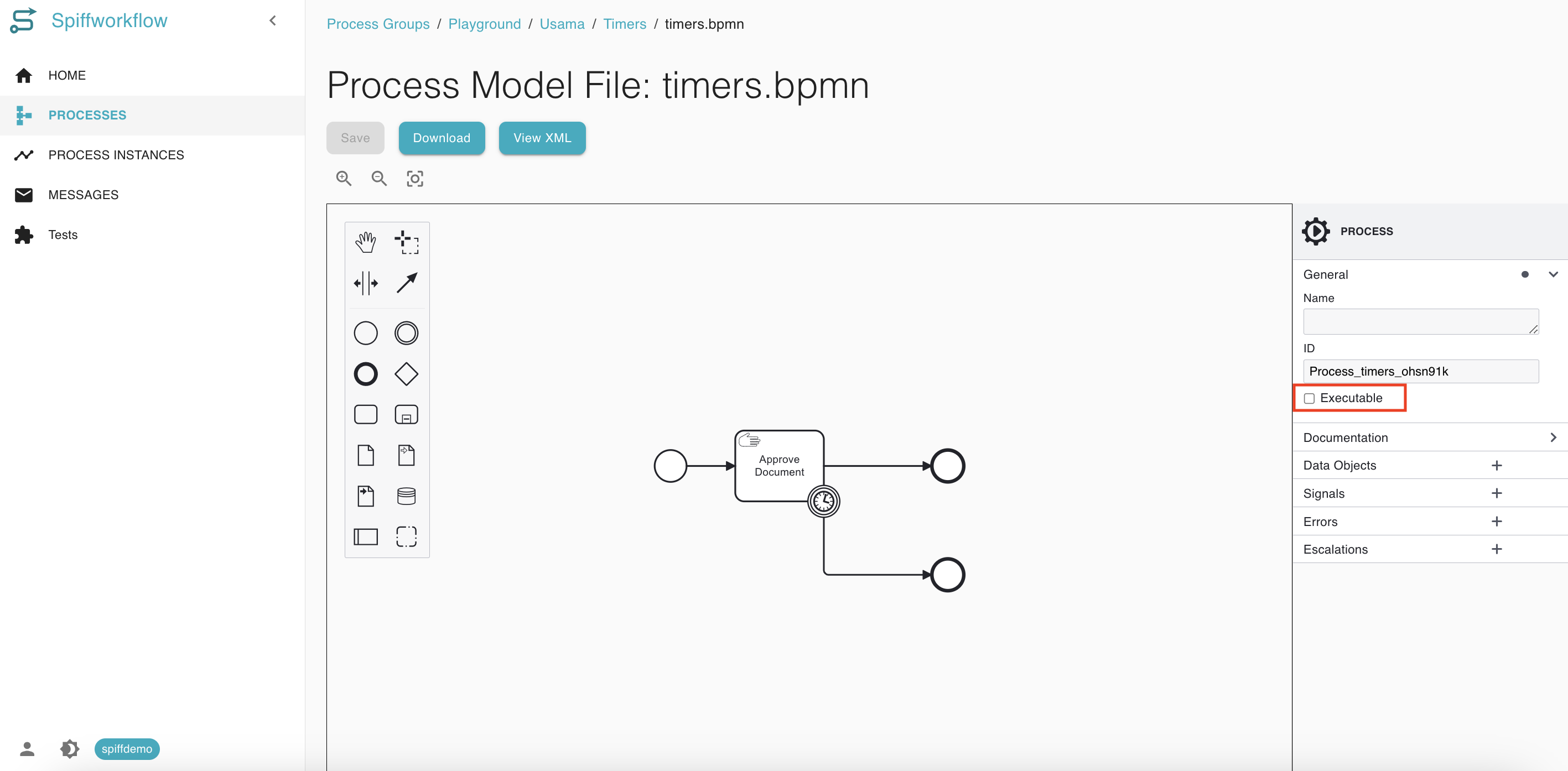
Save your changes. Go to the process model page and the Start Button will not appear, indicating that the process is non-executable.
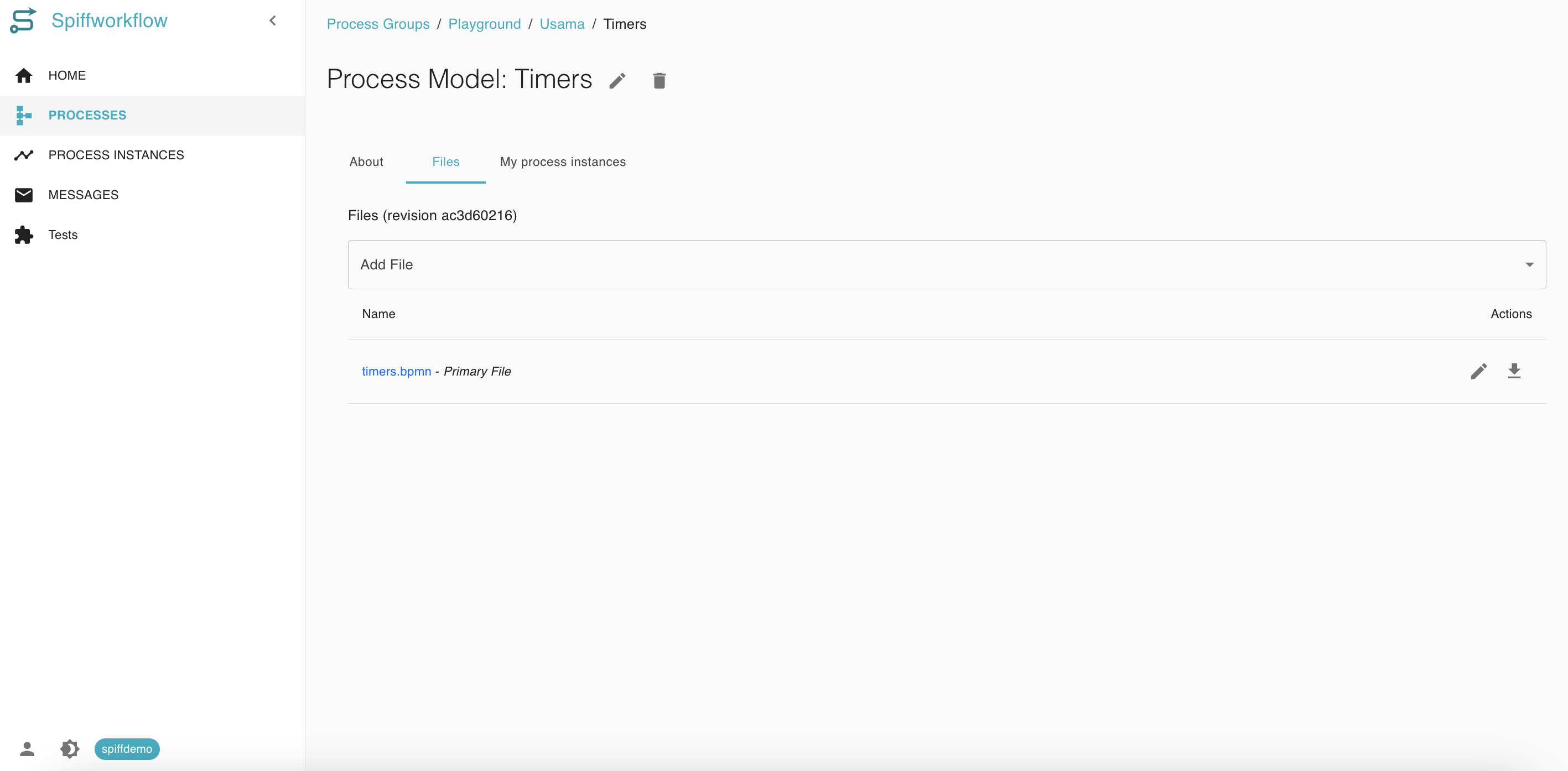
Executable Processes:
Follow the same steps as above, but check the Executable checkbox.
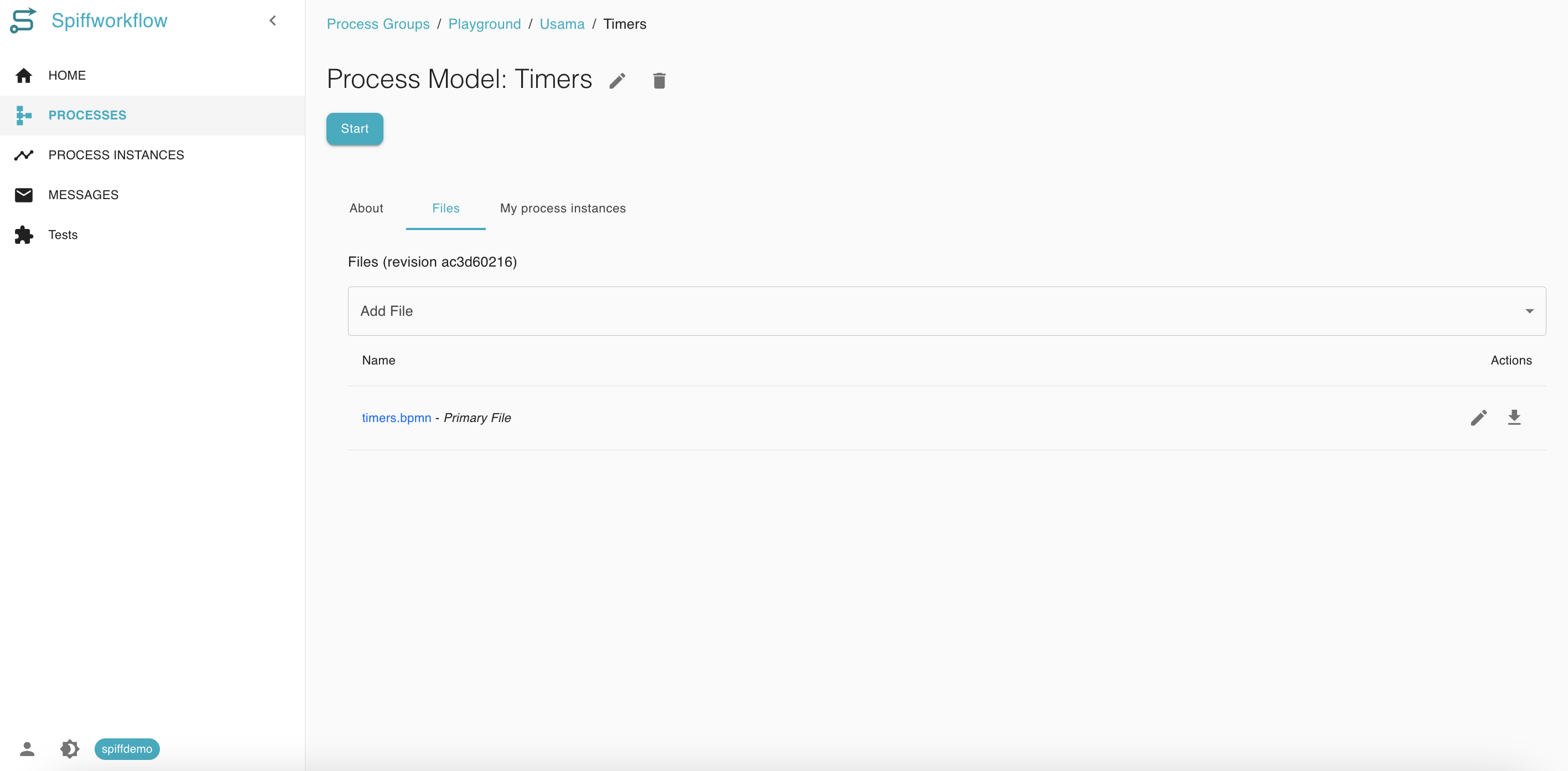
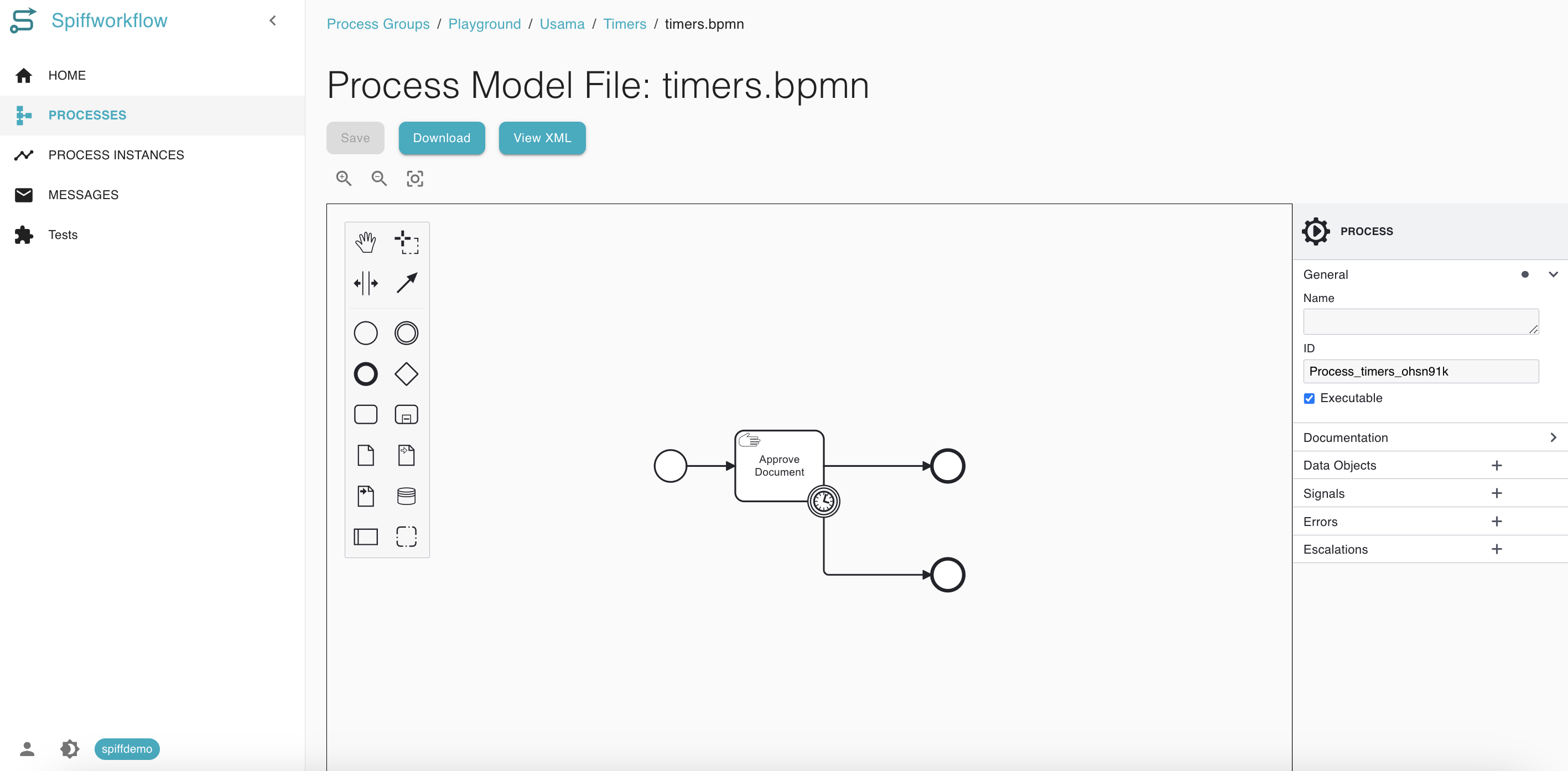 2. Save your changes. The Start Button will now appear when the model is opened.
Common Scenarios
Scenario |
Executable Process |
Non-Executable Process |
|---|---|---|
Automated workflows (e.g., API calls) |
✅ |
❌ |
Training or stakeholder presentation |
❌ |
✅ |
Manual workflows |
❌ |
✅ |
Workflow design phase |
❌ |
✅ |
System integration |
✅ |
❌ |